

A damaged seal is a reason to stop. An intact seal is not a reason to trust. Hardware-wallet tampering is better understood as a chain of evidence: where the device came from, what state it was in, what the official application reports, and whether anyone else could already know the recovery secret.
The most dangerous counterfeit is not always fake electronics. It can be a genuine device prepared with someone else’s seed phrase and sold to a buyer who mistakes convenience for setup.
Quick answer: the strongest signs of hardware-wallet tampering
- A recovery phrase or mnemonic card is already filled in.
- The device already has a PIN code, account name, transaction history or wallet balance.
- The first-boot state does not match the manufacturer’s current instructions.
- The official wallet verification or genuine check fails.
- Firmware appears where the model should arrive without it, or the device requests an unofficial update path.
- The box contains unfamiliar QR codes, extra cards, misspellings or instructions to enter a seed phrase on a computer or phone.
- The seller, serial information, packaging or included components do not match the authorised purchase path.
One low-weight sign, such as shipping damage, may have an innocent explanation. A supplied seed phrase, failed device authentication or existing wallet state is enough to keep the balance at zero.
Tampering is narrower than general wallet compromise
A hardware wallet is a physical device intended to generate or use private keys while keeping them separated from ordinary wallet software and online threats. Tampering refers to unauthorised changes or preparation before—or during—your control of that device. It includes fake devices, modified firmware, pre-generated recovery material and instructions designed to expose a secret.
That is different from phishing, malicious smart contracts, blind signing or malware that tricks a user after a genuine device has been set up. Those are serious wallet-security risks, but they are not proof that the hardware itself arrived tampered with. Keeping the categories separate helps you choose the correct response.
The red flag that ends the investigation: recovery words in the box
A new hardware wallet should generate its recovery material during initialization. If a card arrives already filled with 12 or 24 words, do not use them. The seller or scammer can restore the same wallet and wait for deposits.
The same rule applies to a device that already has a PIN, named account or balance history. Resetting may remove the visible state, but it does not explain who handled the device or what else changed. Return it through the verified seller channel rather than turning an unexplained security event into your savings wallet.
Packaging evidence is useful but limited
Inspect the shipping package, product box, seals, cable and physical device against the hardware-wallet manufacturer’s current documentation. Look for re-gluing, mismatched serial labels, additional cards, misspellings, unfamiliar QR codes and instructions that create urgency.
But tamper-evident packaging is an alarm, not cryptographic proof. A sophisticated attacker may reproduce packaging; legitimate shipping damage can also look suspicious. Internal device authentication and firmware verification carry more weight than a hologram.
Run the official authenticity check
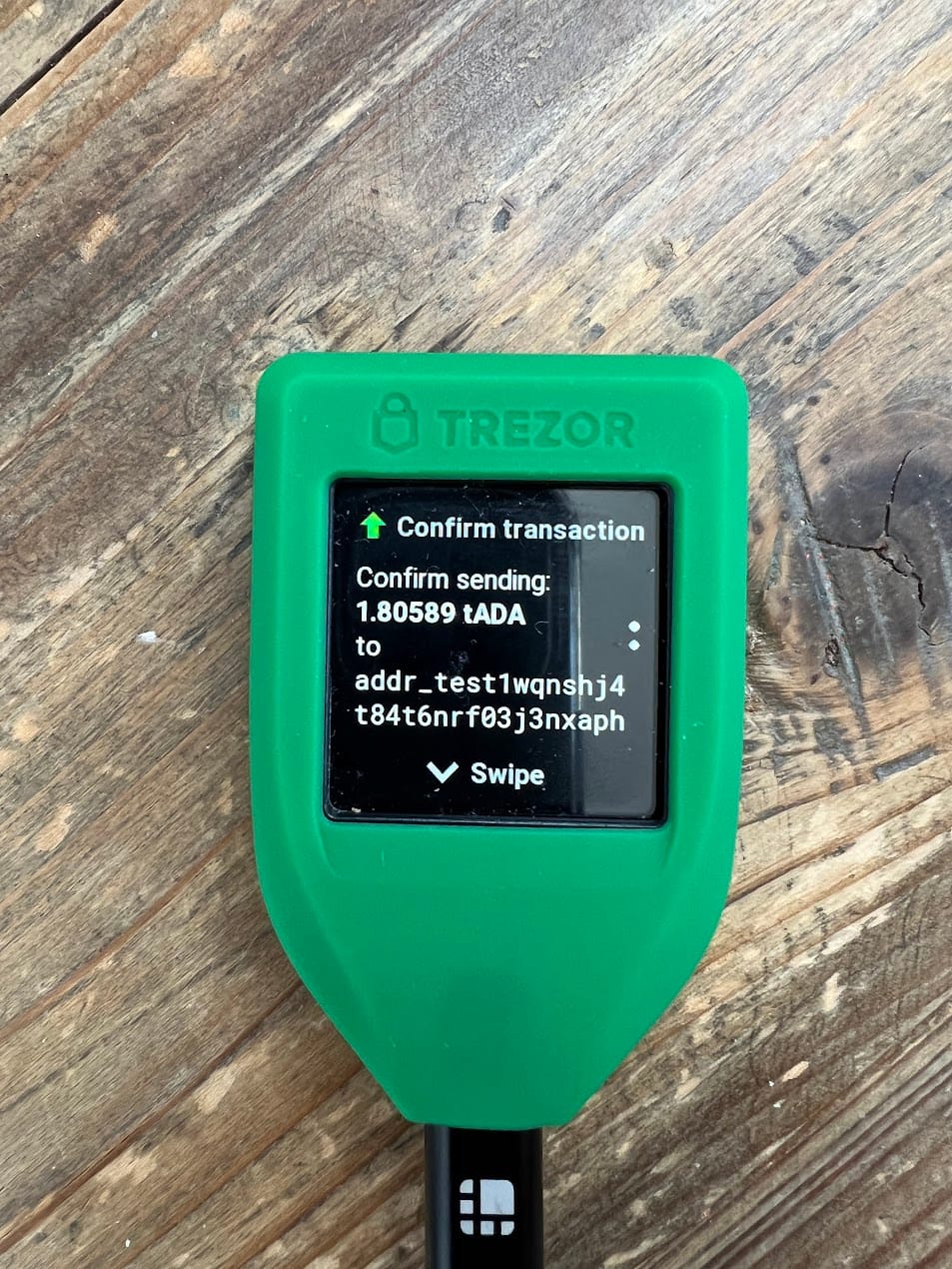
Use only the manufacturer’s official desktop or mobile application, reached through a URL you verified rather than a search advertisement. Ledger says its genuine check requires a device with a genuine secure element. Current Trezor Safe models use device authentication involving hardware components and the official software.
If the wallet verification fails, do not download a “fix” from a forum, sponsored result or direct message. Photograph non-secret evidence such as the error and packaging, keep the order record, and contact the official help centre through the manufacturer’s verified domain. Never include recovery words, private keys or the PIN.
Firmware state can reveal prior handling
Model One guidance from Trezor notes that firmware detected during the expected first-time process is a reason not to use the device. Other models may legitimately ship with firmware, so the rule is model-specific: compare what you see with the current official onboarding instructions.
Unexpected firmware, an authenticity warning or pressure to install software from removable media deserves investigation. A signed update verifies origin only when the boot process, signature checks and download path are the ones the vendor designed.
Watch what the instructions ask you to expose
No legitimate setup requires typing newly generated recovery words into a normal website, support chat or computer keyboard. Recovery is performed on the hardware device or through the manufacturer’s documented device-based process.
QR codes in the box deserve the same scepticism as search ads. A visually correct domain can be imitated with another character. Navigate from a saved official domain and verify the software publisher or published hashes where the vendor provides them.
A genuine device can still arrive through a bad process
Marketplace returns, warehouse commingling and unauthorised third-party resellers create uncertainty even when the crypto hardware is genuine. Manufacturer-direct purchasing does not make a supply-chain attack impossible, but it reduces the number of parties in the chain and gives you a clearer return path.
Do not “test” a questionable device with a small amount and then graduate it to serious funds. A small crypto transaction can prove that the wallet can sign transactions; it cannot prove that nobody else has the seed phrase or private key.
What to do when any material check fails
- Do not enter or reuse any supplied recovery words.
- Do not transfer Bitcoin, tokens or other crypto assets to an address generated in the suspicious state.
- Disconnect the device and preserve order, seller and packaging evidence.
- Contact the manufacturer or authorised seller through a verified channel.
- Return or replace the unit; do not resell the uncertainty to someone else.
- If funds were already deposited to a seed someone else may know, create a new wallet on a trusted device and move them promptly.
A factory reset is not a sufficient answer to unexplained tampering. It may erase user-facing data, but it does not prove that the hardware, boot process or firmware was never modified.
If a previously trusted device is stolen or physically unavailable, follow the incident process in What Happens If You Lose Your Hardware Wallet?. If the concern is a disclosed vulnerability or hack rather than supply-chain tampering, read Can a Hardware Wallet Be Hacked?.
The evidence hierarchy
| Signal | What it proves | Weight |
|---|---|---|
| Intact packaging | No obvious opening | Low |
| Manufacturer or authorised seller | Shorter, accountable supply path | Medium |
| Correct first-boot state | Matches documented onboarding | High |
| Successful official authentication | Device passes vendor-designed check | High, but vendor-specific |
| Seed generated on-device | No pre-supplied recovery secret | Essential |
My judgment: buyers focus too much on holograms because holograms are visible. The decisive questions are less photogenic: did the device authenticate, did it begin in the documented state, and did it generate a secret nobody else had a chance to record? If any answer is unclear, the correct balance for that wallet is zero.
Once provenance and authenticity are clear, the next decision is whether the device fits the risks you actually need to control. Use the hardware-wallet threat-model comparison to compare current options by verification, recovery and operating assumptions rather than packaging claims.
Primary sources
- Trezor: Safe 3 authentication and packaging checks
- Trezor: Model One first-boot checks
- Ledger: is my device genuine?
- Ledger: check that the device has a genuine secure element
No affiliate link is used in this article.